
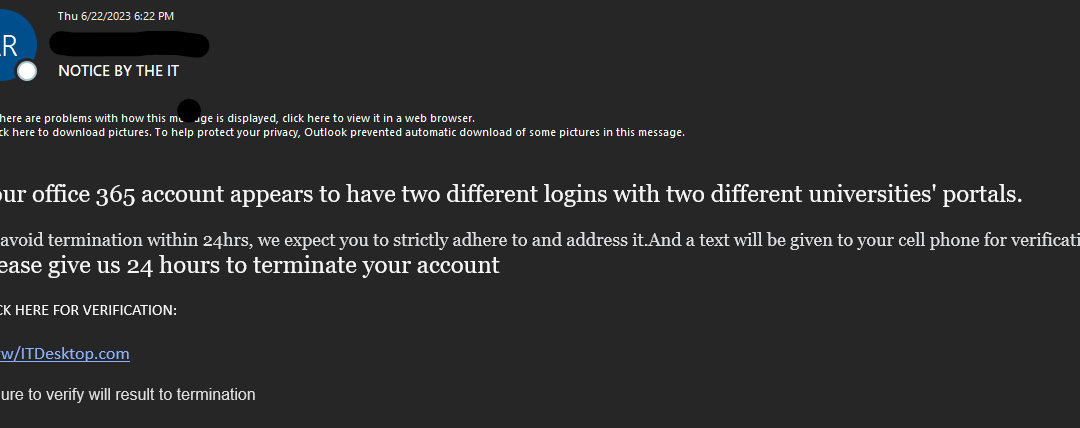
Scammers attempt to impersonate IT Staff
Email scams are one of the primary ways that malicious actors infiltrate organizations. Many of the recent large cybersecurity breaches in the news began with malicious actors sending scam or phishing emails. Attackers impersonate University IT to try and convey a sense of authority and urgency.
Common attack techniques:
-
Fake University branded login pages
-
Web forms to collect credentials & sensitive information
-
Infected attachments or malicious links to install malware
Indicators of Phishing:
-
Sender is from the student domain. University IT will not send alerts from student accounts. This indicates a potentially compromised account.
-
The display URL is suspicious, and not linked to WCU: www/ITDesktop[.]com
-
Hovering over the link displays a suspicious form URL: https://form.jotform[.]com/*
-
Slightly broken Enlglish, very poor formatting
Other Similar examples:
Thank You